Unknown Block Remover
Find and clear the unknown blocks left behind by removed add-ons.

Screenshots
Overview
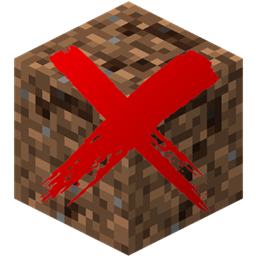
Here's a problem nobody talks about: you install an addon, build a bunch of stuff with its blocks, then decide you don't want the addon anymore. You remove it. The blocks stay. Not as air — as question marks. Grim little reminders of your past decisions, scattered across your world, completely harmless but absolutely infuriating to look at.
Unknown Block Remover is the janitor you never knew you needed. Run a discovery scan near the offending blocks and it identifies every orphaned namespace in the area — so you can see exactly which uninstalled addon is responsible. Run it in multiple locations to build up the full picture, since results accumulate between scans.
Once you've found your culprits, head to the configure screen, toggle on the namespaces you want gone, set your scan radius and interval, and enable automatic scanning. The addon will then quietly work through the area around you, replacing orphaned blocks with air on a schedule. Action bar pulses confirm each sweep. When the job's done, turn it off and forget it exists.
The whole thing is admin-only — requires GameDirectors permission, and cheats don't even need to be enabled. Settings and discovered namespaces are stored per-admin, so multiple operators can each maintain their own independent cleanup configurations without stepping on each other.
Features
- Discovers orphaned block namespaces from uninstalled addons
- Results accumulate across multiple discovery scans
- Multi-namespace targeting — toggle each addon namespace independently
- Automatic periodic scanning with configurable interval (5-60 seconds)
- Configurable scan radius (8-64 blocks)
- Correct dimension Y bounds (Overworld, Nether, End)
- Action bar pulse confirms each scan
- Per-admin settings — each operator maintains their own config
- Admin-only access via /ubr:open (GameDirectors permission)
- Cheats not required
- No Beta APIs required
How to install
- Download the behavior pack (.mcpack file).
- Open it with Minecraft to import automatically.
- Create or edit a world and add the "Unknown Block Remover" Behavior Pack.
- No Beta APIs required!
- Enter the world and use /ubr:open to open the panel. Run a discovery scan near the orphaned blocks, then configure which namespaces to remove and enable automatic scanning.
Changelog
-
v1.0.0 Latest
Initial Release
- Scan for unknown blocks: stand near orphaned blocks and run a discovery scan to detect all non-minecraft namespaces in the area
- Discovered namespaces persist across sessions as a per-player property — no need to re-scan after rejoining
- Multi-namespace support: toggle each discovered namespace on or off independently
- Automatic periodic scanning around the player at a configurable interval
- Configurable scan radius (8-64 blocks) and scan interval (5-60 seconds)
- Action bar indicator pulses each time a scan fires, showing which namespaces are being targeted
- Correct dimension Y bounds: Overworld (-64–320), Nether (0–127), End (0–255)
- Per-player settings — scanning only runs around players who have individually enabled it
- Clear Discovered List option with confirmation screen
- Admin-only access via /ubr:open (GameDirectors permission, cheats not required)
Works with Minecraft Bedrock 1.21.0+
Keep exploring